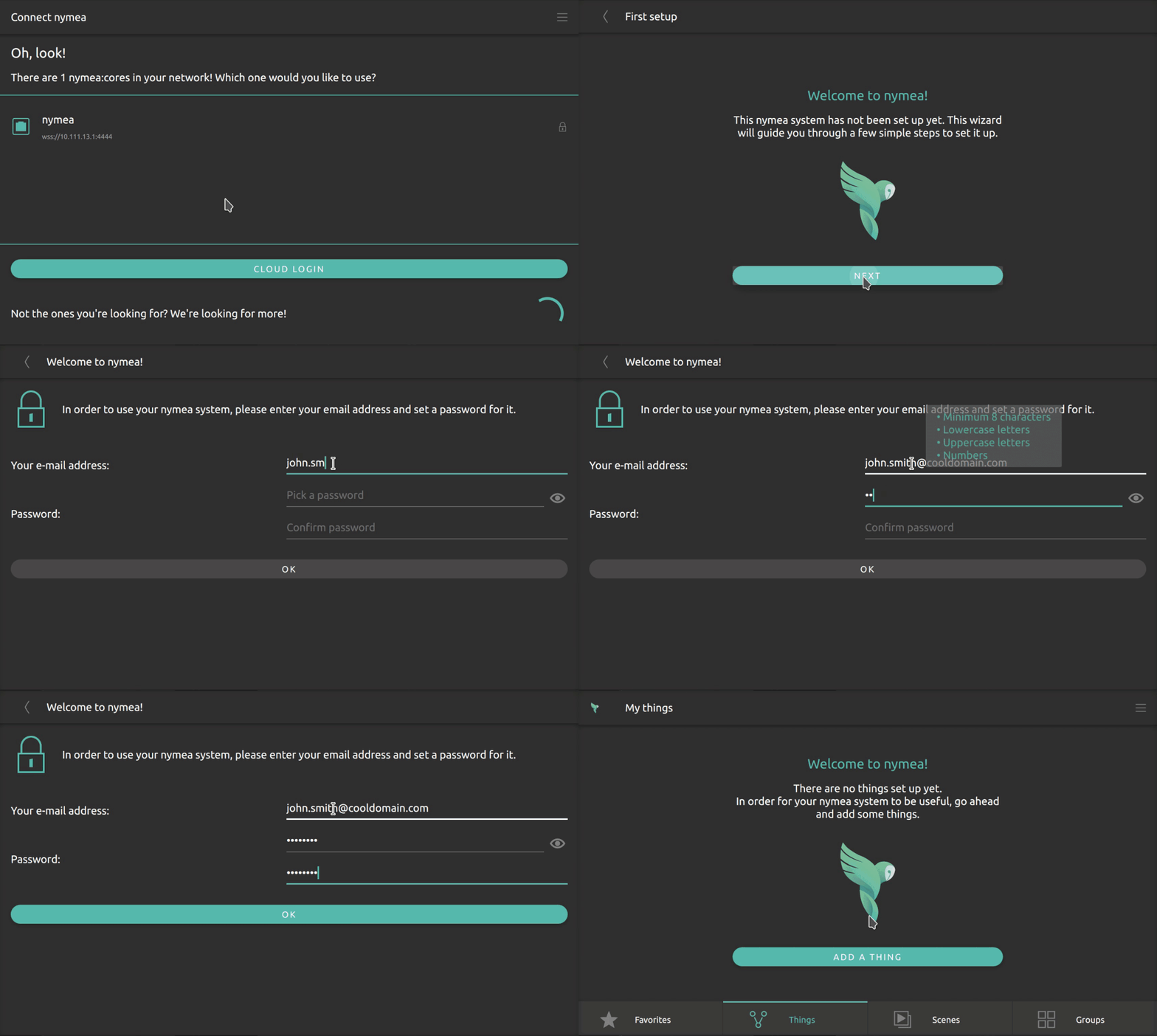
First steps#
At this point, nymea:core should be installed on one device and nymea:app should be available on one or more devices such as smartphones or desktop PCs. Refer back to the installation pages if anything is missing.
Connect the app#
Connect nymea:core to the local network first. A LAN cable is the simplest option. If the device has no LAN port, set up Wi-Fi during the initial setup.
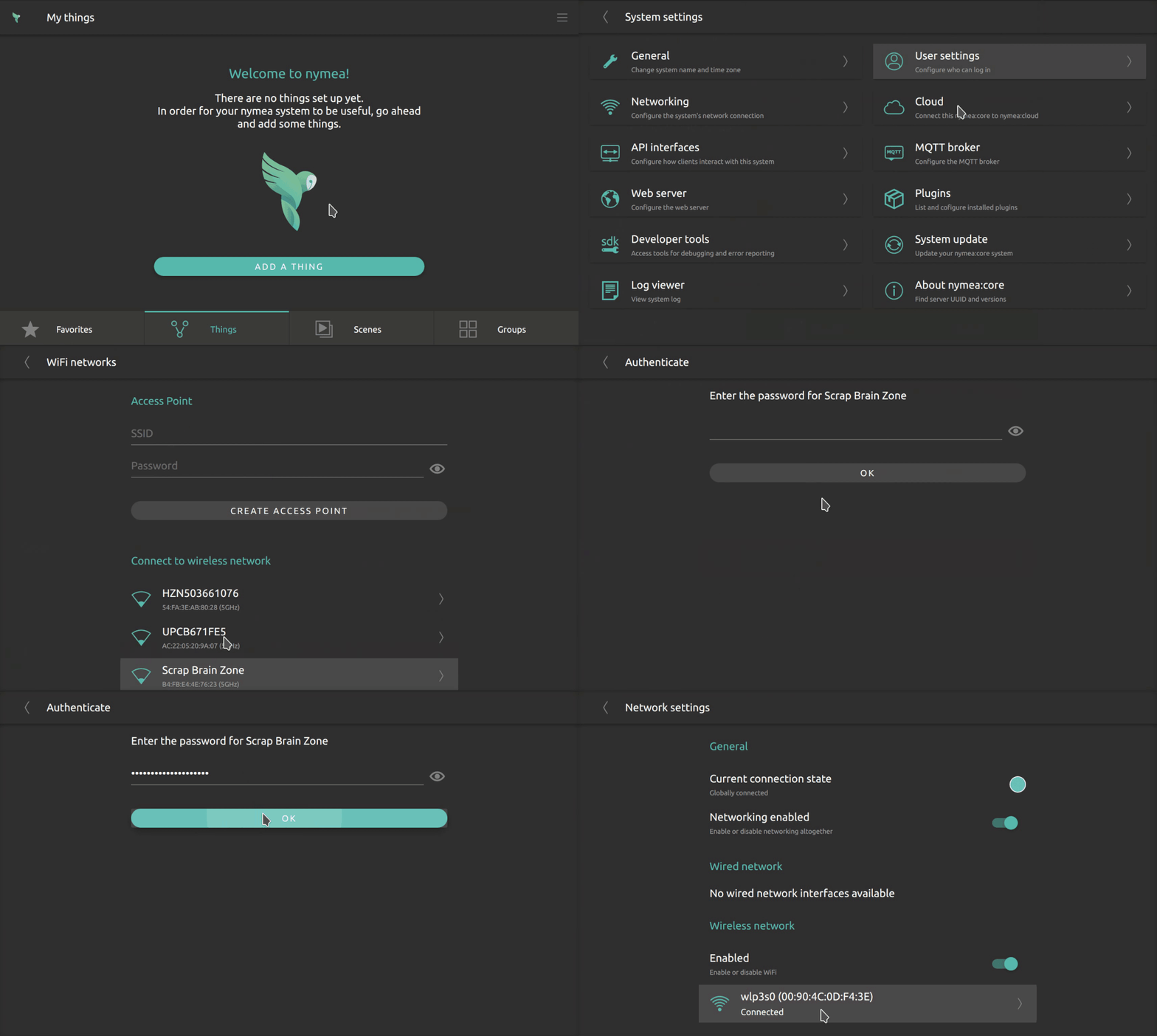
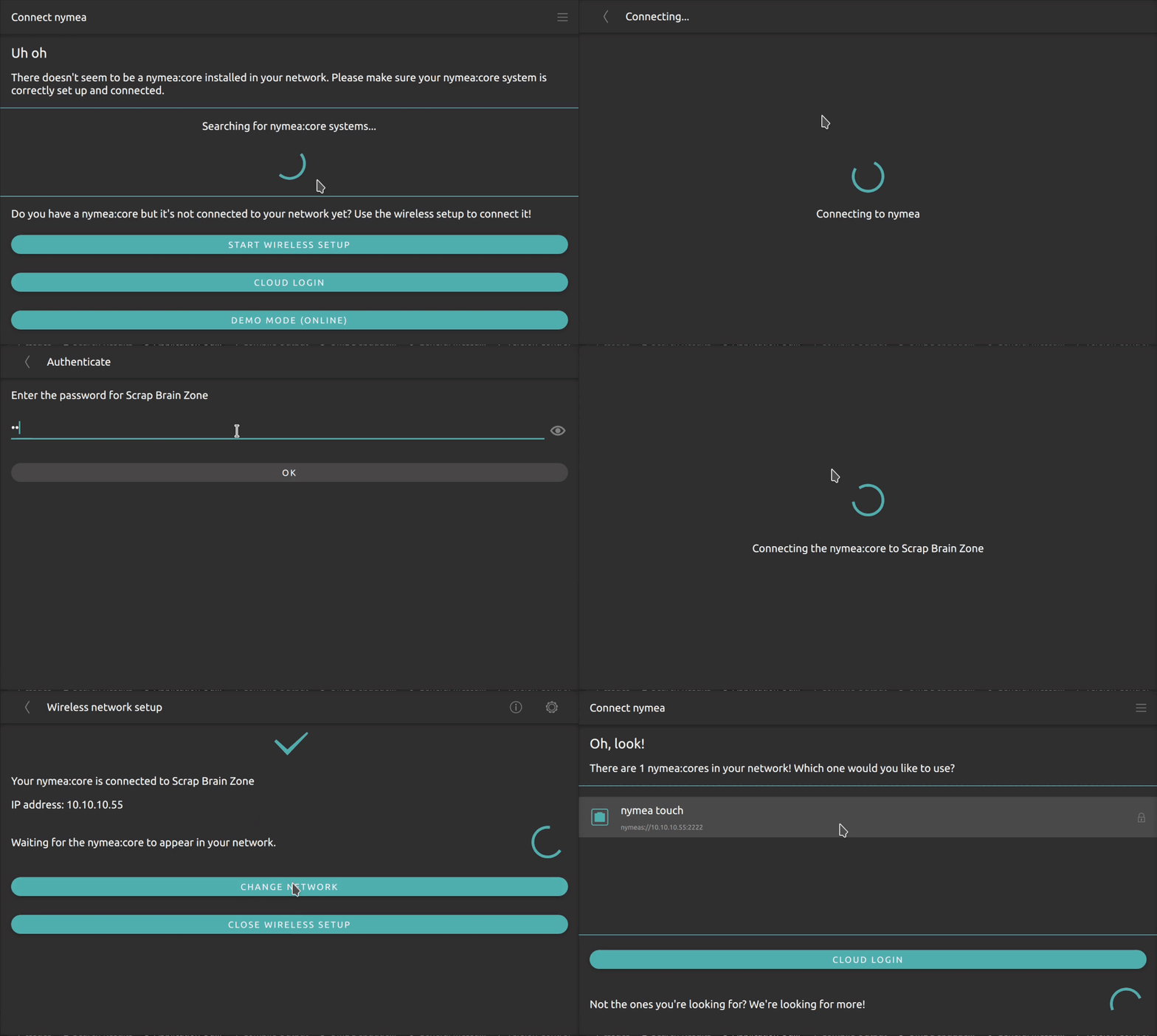
Open nymea:app and connect to the nymea:core system. If the core runs on the same local network, it should appear automatically. If the system is headless, nymea:app can also set up Wi-Fi over Bluetooth.
When Bluetooth setup is used, open the Wireless setup menu, select BT WLAN Setup, choose the Wi-Fi
network and enter the password.
Create the first user#
When connecting for the first time, nymea:app asks for a username and password. Enter your email address as the username and choose a new password.