
Thing classes#
The thing class describes how a certain thing will look like, what features it offers, and how the user and the system interact with it. In order to add support for a new device or service to nymea, a plugin developer creates a thing class to inform nymea about the capabilities of the device or service. This section lists the available properties of thing classes and explains what they are used for.
Thing classes are defined using the thingClasses property in the plugin JSON
file.
Parameters#
A thing class may or may not have parameters. Parameters hold the basic information required to connect to (or generally use) a device or service. For instance, a thing class describing a device on the local network might have a parameter for its IP address. A USB device might store the device ID as presented on the bus. An online service might hold the server URL.
When a thing is configured, nymea (or the user) fills in the parameters and passes them to the plugin to perform the required setup.
Once set during setup, parameters stay the same for the entire lifetime of the thing. They only change if the user reconfigures a thing, which amounts to removing it and re-adding it with the new parameters.
Note
Keep parameters to the minimum set of information required to make the thing usable.
Note
Prefer persistent identifiers over volatile ones. A LAN IP address may change when a DHCP lease renews. A better approach is to discover the device via mDNS or UPnP and store a stable device ID instead.
Parameters are defined using the paramTypes property in the plugin JSON
file and are attached to every thing created in the system. The plugin developer may read them
during setup or at any later point. If the parameters of a thing change,
setup will be performed again.
Settings#
Thing settings are similar to parameters but can be changed at runtime without having to reconfigure the thing. They allow the user to adjust the behaviour of a thing. Settings must not affect basic connectivity or impair core functionality.
For example, a Bluetooth device with a small battery might not be able to stay connected continuously. Such a device might need to be polled. A “polling interval” setting lets users tune this: once per hour for a soil moisture sensor, much more frequently for a water leak alarm.
Settings are defined using the settingsTypes property in the plugin JSON
file. The plugin is notified of changes via the settingChanged() signal, as described in
The plugin code.
Setup#
A set of thing class properties controls how setup works in nymea. When a thing is created, it walks through a setup flow whose shape depends on the create method and setup method defined in the thing class. Discovery parameters are also part of the thing class when applicable.
The setup flow is described in detail on the Things setup page.
Events#
Things can emit events. For example, a device with buttons triggers a buttonPressed event
whenever the user presses a button. Events can carry parameters — a remote control’s
buttonPressed event would include a parameter indicating which button was pressed.
Events are defined using the eventTypes property in the plugin JSON file
and emitted from the plugin as described in The plugin code.
Actions#
Actions are the counterpart to events — they go in the opposite direction. A smart speaker might
have play, pause, and similar actions. The user or an automation can execute these to
control the device. Actions can carry parameters too: a notification service action notify
might have title and body parameters.
Actions are defined using the actionTypes property in the plugin JSON
file and executed by implementing executeAction in the plugin, as described in
The plugin code.
States#
States represent properties of a thing that can change over time. For example, a temperature
sensor has a temperature state updated by the plugin whenever the measured value changes.
Every state change implicitly emits an event that propagates through the entire system.
States can be read-only or writable. A read-only state exposes a value from the device to nymea.
A writable state can also be changed from nymea, which causes nymea to call executeAction on
the plugin. A writable state always generates a corresponding action automatically.
States are defined using the stateTypes property in the plugin JSON file.
Updating and responding to state changes is described in The plugin code.
Interfaces#
The interfaces property of a thing class specifies which standard interfaces it implements.
The main purpose of interfaces is to improve the user experience. Without interfaces, the UI only
knows the raw types of states and actions — it would show a generic switch for a boolean and a
generic slider for an integer. By declaring the dimmablelight interface, the plugin tells the
UI that this is actually a dimmable light, allowing the UI to render a proper light bulb control
and group it with other lights.
When implementing an interface, the thing class must include at least all states, actions, and events required by that interface specification. Additional custom states, actions, or events may be added, and a thing class may implement multiple interfaces.
Implementing as many interfaces as accurately as possible leads to the best user experience.
An interface can extend another. For example, light requires only a powered boolean state.
dimmablelight extends it and adds a brightness state. A thing class implementing
dimmablelight must therefore also satisfy the light requirements.
The complete list of available interfaces is on the Interfaces page.
Generic inputs and outputs#
A state can be marked as a generic input or output for cases where the appropriate interface is not known ahead of time.
A smart plug is a good example. The plugin naturally adds the powersocket interface. But the
plugin developer cannot know what the user will plug into it. If the user connects a light bulb,
that light won’t appear in the lights category because nymea is controlling the plug, not the bulb.
To solve this, the power state of the plug can be marked as a generic output. The user can then
add a virtual light thing and connect it to the plug — nymea will forward control of the virtual
light to the plug’s power state.
The available options are digitalInput, digitalOutput, analogInput, and
analogOutput. A digital input can only connect to a digital output (and vice versa), and
likewise for analog.
Generic inputs and outputs are configured via the stateTypes property in the
plugin JSON file.
Browsing#
Some things offer a browsable content tree. For example, a smart speaker can expose its available playlists. Browsing works like a file system: it can be a flat list or a full tree.
nymea supports two browser types: file browsers and media browsers. They work the same way; media browsers additionally carry media-related metadata per entry.
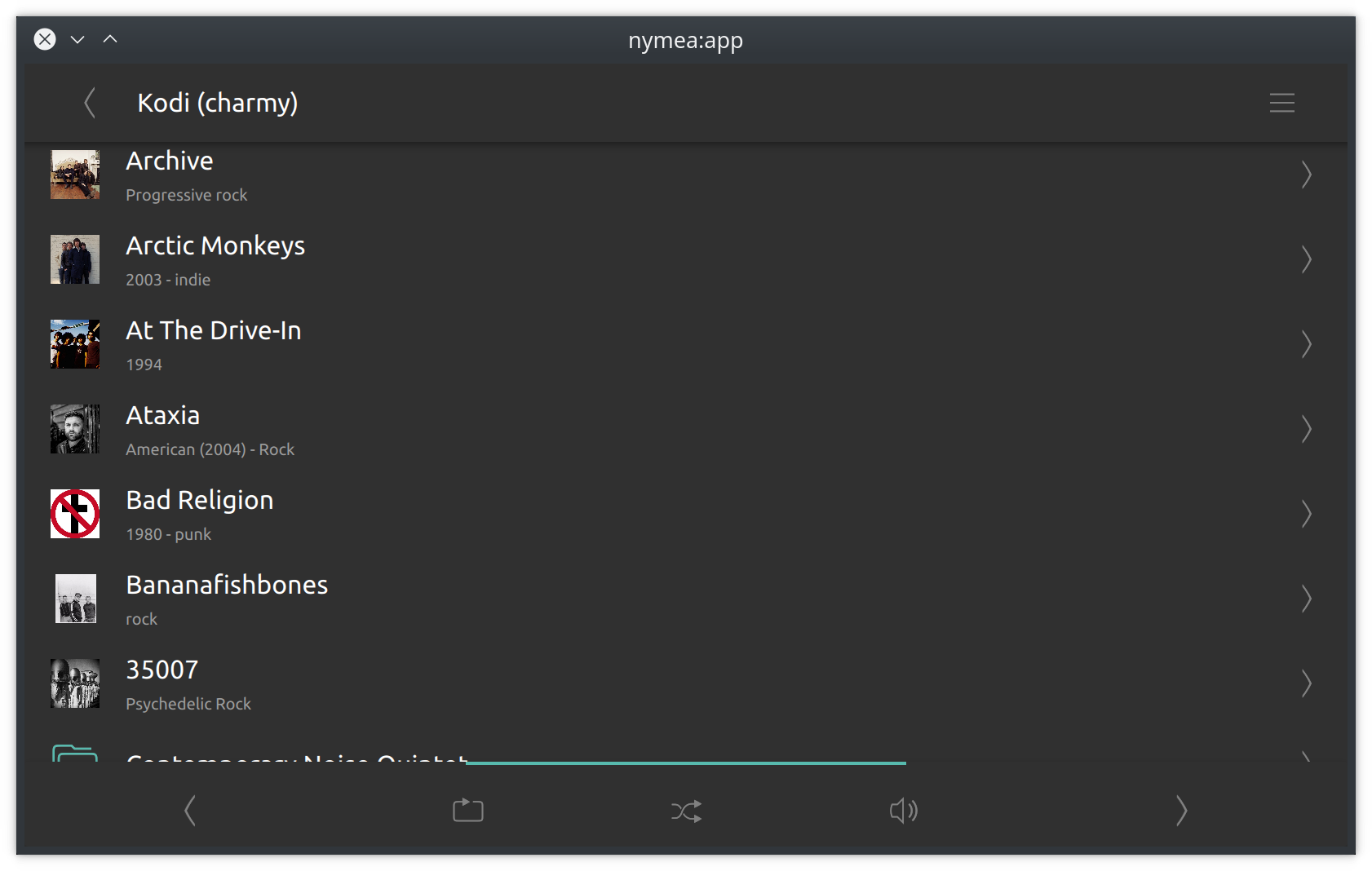
Entries can be executable (can be launched or played) and browsable (can be entered, like a folder). Each entry can also have a context menu for arbitrary plugin-defined actions.
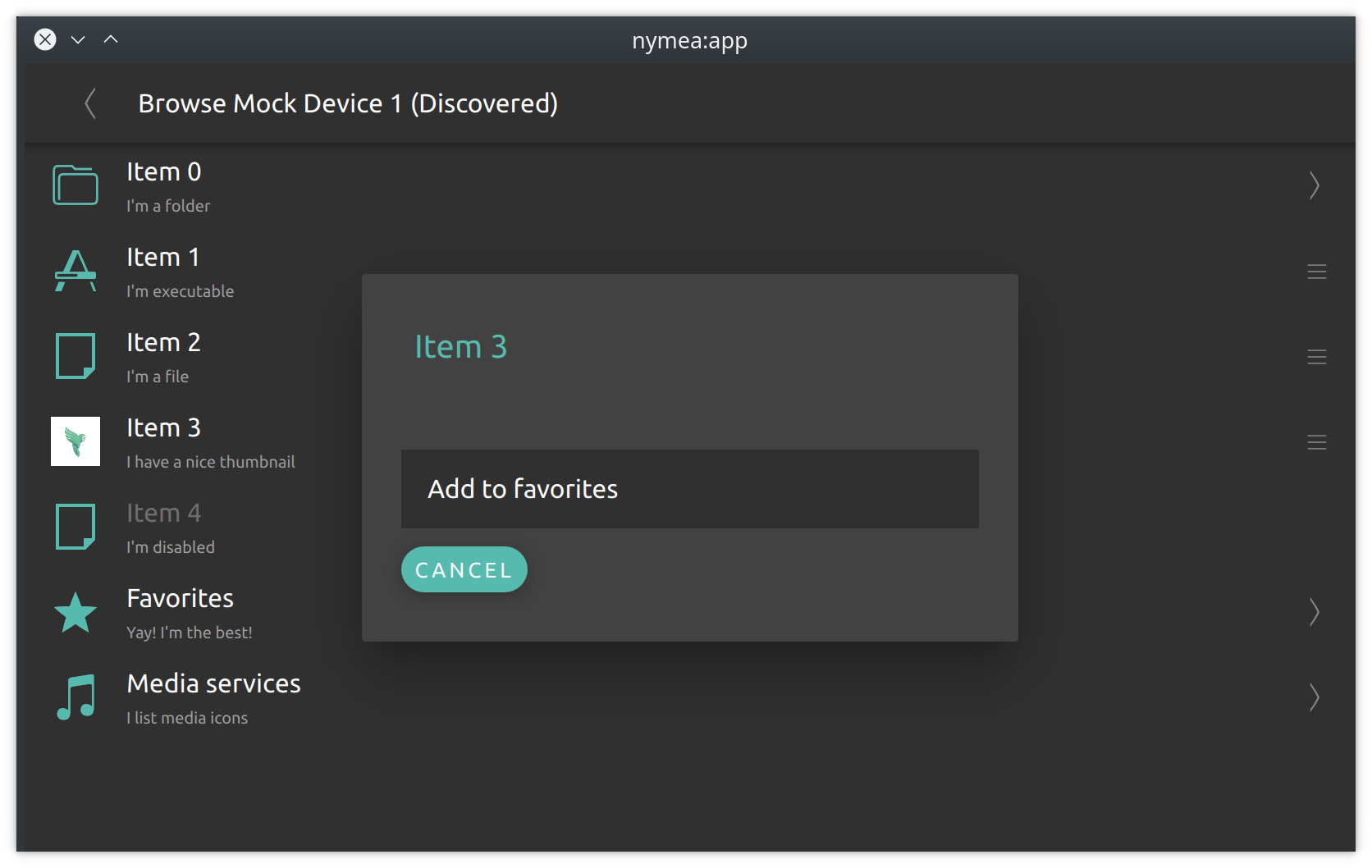
Browsing is enabled via the browsable property in the plugin JSON file and
implemented by overriding the browsing methods described in The plugin code.