
C++/Qt/QML client library#
nymea:app is structured so that its core logic lives in a standalone Qt library — libnymea-app
— that wraps the entire JSON-RPC API in a Qt-style C++ and QML interface. Other applications can
link against this library to get full nymea connectivity without re-implementing the protocol.
Supported platforms#
The library builds on any platform supported by Qt. Officially released builds include:
Linux Desktop
Windows Desktop
macOS Desktop
Android
iOS
Ubuntu Touch (Qt 6 port in progress)
Prerequisites#
Qt 6.8 or later is required. The recommended installation method is the Qt online installer.
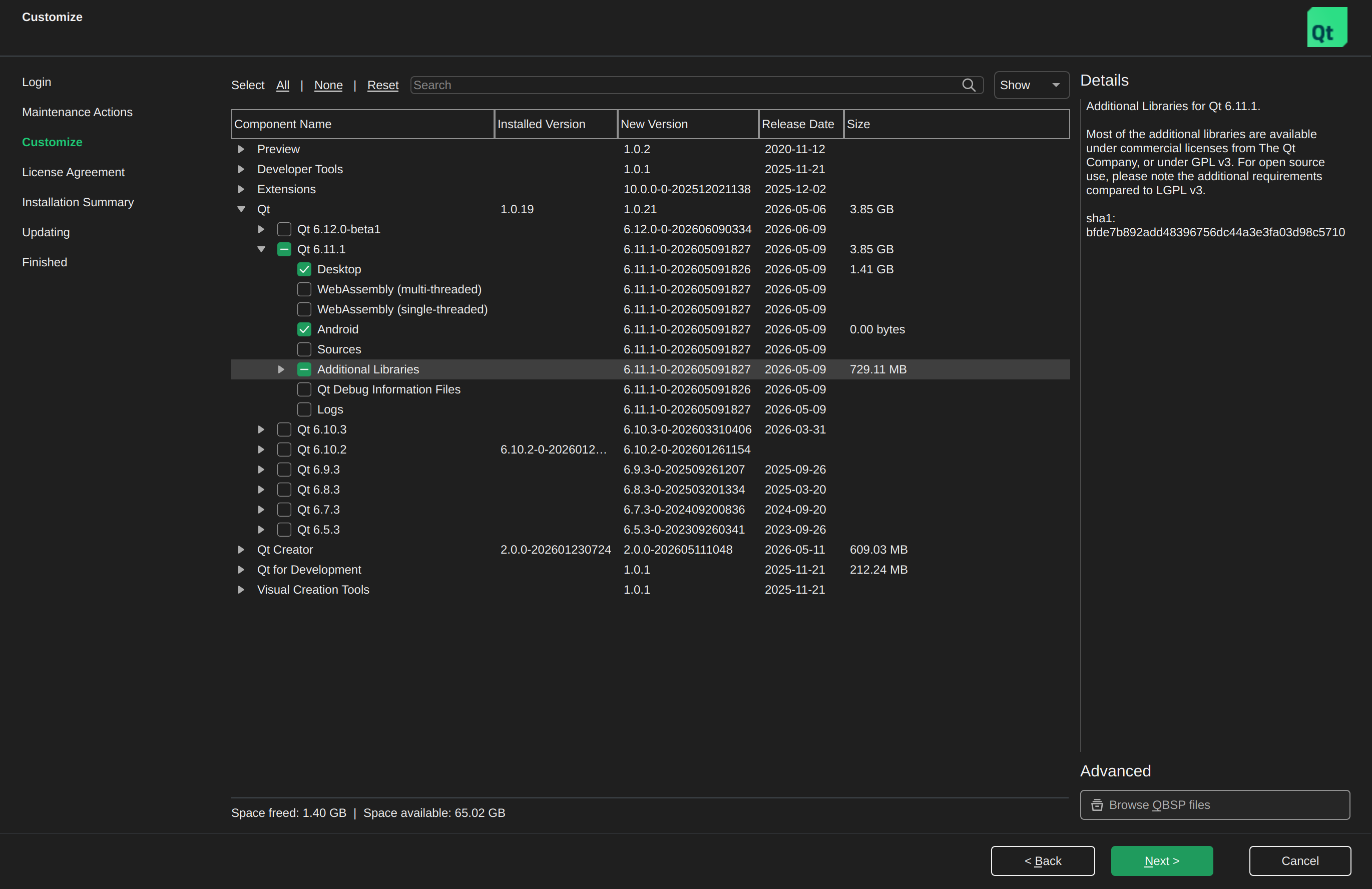
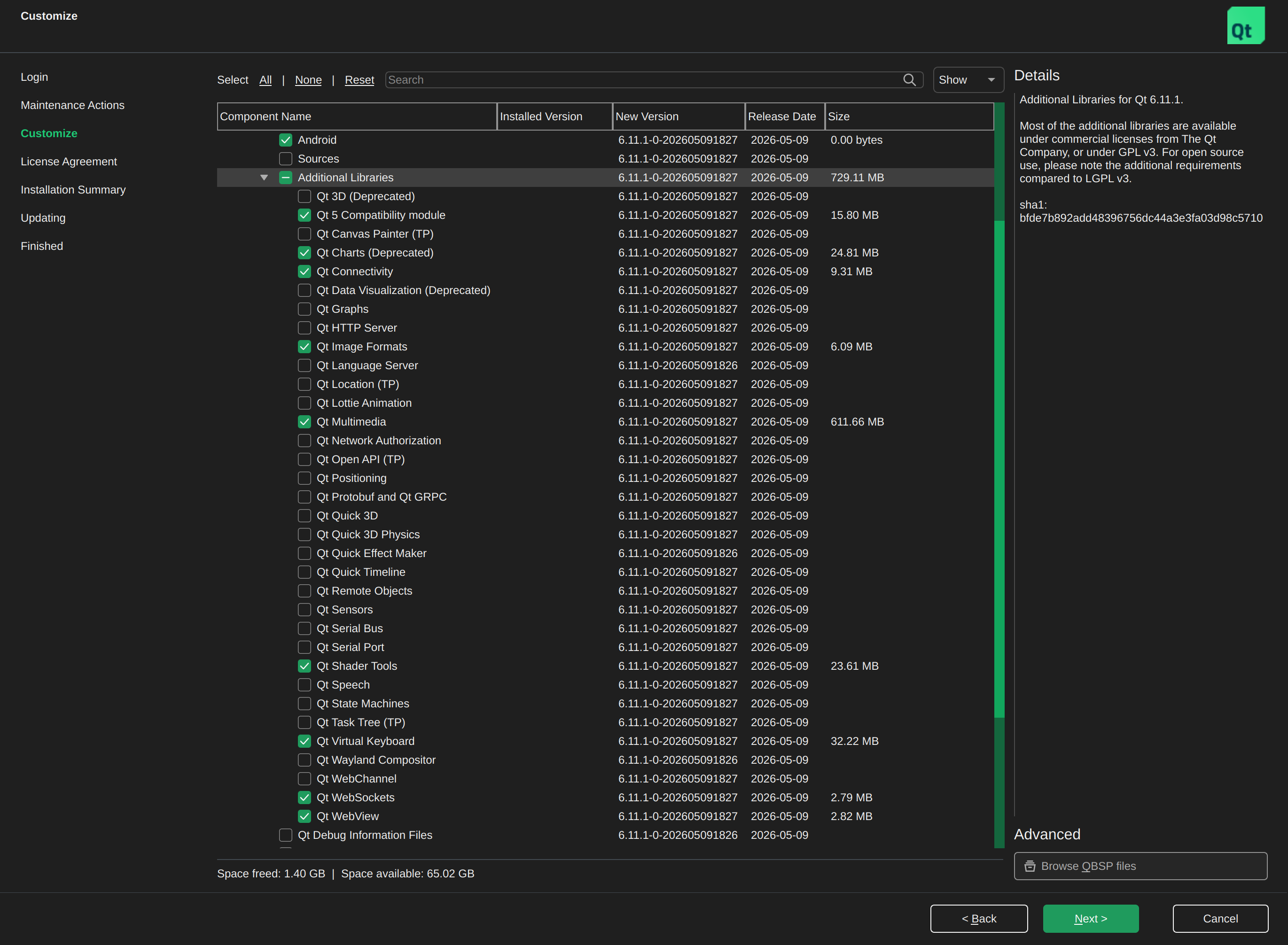
In the installer’s Customize step, select the Qt version and the target platform component (e.g. Desktop). Then expand Additional Libraries and enable the following modules:
Qt Charts
Qt Multimedia
Qt Shader Tools
Qt Virtual Keyboard
Qt WebSockets
Android#
Select the Qt base for Android component in the installer. The Android SDK and NDK must also be installed. See the Qt for Android documentation for details.
iOS / macOS#
Select the iOS or macOS Qt component in the installer. Xcode must be installed. See the Qt documentation for iOS and macOS for details.
Building#
Clone the repository and initialise submodules:
git clone https://github.com/nymea/nymea-app.git
cd nymea-app
git submodule update --init
The preferred way to build is with Qt Creator: open nymea-app.pro and click the build button.
To build from the command line, ensure qmake is on the PATH:
qmake /path/to/nymea-app/
make
The built library is written to libnymea-app/ in the build directory as
libnymea-app.a (static) by default.
Using the library#
There is no standalone API documentation for libnymea-app at this point. The QML files in
nymea:app are the best reference for how to interact with the library.
C++/Qt#
Add the include path and linker flags to your project. For a qmake project:
INCLUDEPATH += /path/to/nymea-app/libnymea-app
LIBS += -L/path/to/nymea-app-build/libnymea-app -lnymea-app
For CMake:
target_include_directories(mytarget PRIVATE /path/to/nymea-app/libnymea-app)
target_link_libraries(mytarget PRIVATE /path/to/nymea-app-build/libnymea-app/libnymea-app.a)
QML#
To expose all nymea types to QML, call registerQmlTypes() before loading the QML engine:
#include <libnymea-app-core.h>

int main(int argc, char *argv[]) {
    // ...
    registerQmlTypes();

    QQmlApplicationEngine engine;
    engine.load(QUrl(QStringLiteral("qrc:/MyQmlApp.qml")));
    // ...
}
After that, import Nymea 1.0 is available in QML files.